🎤 Speaking Time Calculator
Estimate duration from text or audio files
Speaking Time Calculator: Estimate Your Speech Time in Seconds
Whether you are preparing for a college presentation, business meeting, TED-style talk, YouTube script, podcast episode, or public speaking competition, one question always matters:
“How long will my speech take?”
That is exactly where a Speaking Time Calculator becomes useful.
Many speakers either underestimate or overestimate their speaking duration. A 1,500-word script may feel short while writing, but during delivery it could easily stretch beyond 10 minutes depending on pauses, pace, emphasis, and audience interaction.
Using a reliable speaking time estimator helps you:
- Stay within time limits
- Avoid rushing your speech
- Improve confidence
- Structure presentations better
- Practice effectively
- Meet academic or professional requirements
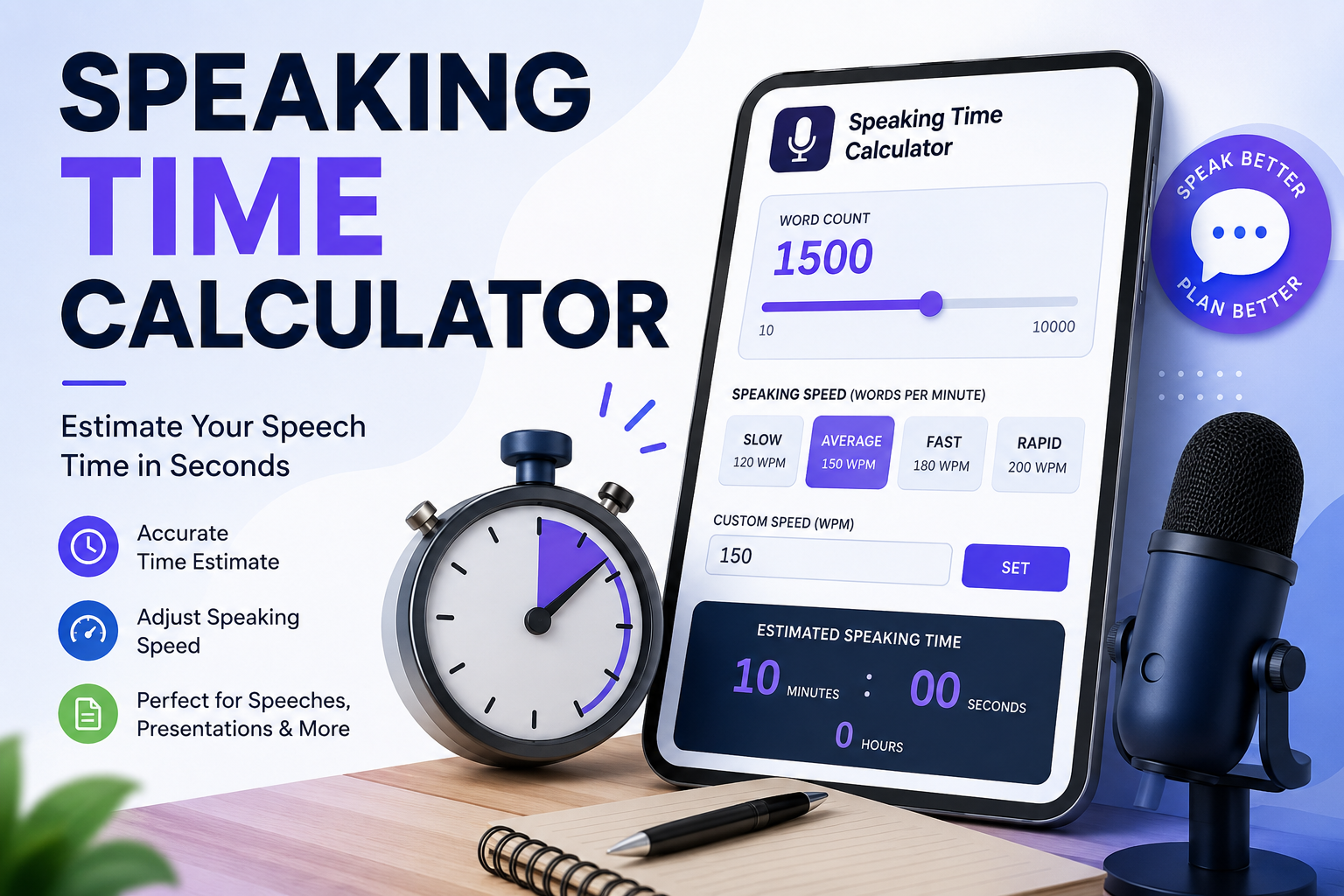
The calculator attached above helps convert your total word count into estimated speaking time using different speaking speeds measured in words per minute (WPM).
In this guide, you will learn:
- How speaking time is calculated
- Average speaking speeds
- How to use the calculator
- Real-world examples
- Tips to improve delivery
- Common mistakes to avoid
- FAQs related to speaking duration
Table of Contents
What Is a Speaking Time Calculator?
A Speaking Time Calculator is an online tool that estimates how long it will take to speak a written script aloud.
The calculation is based mainly on:
- Total number of words
- Speaking speed (Words Per Minute)
For example:
- 150 words per minute is considered average conversational speaking.
- A 1,500-word script at 150 WPM takes approximately 10 minutes.
This type of calculator is widely used by:
- Students
- Teachers
- Public speakers
- Corporate presenters
- Motivational speakers
- Trainers
- YouTubers
- Podcasters
- Event hosts
- Interview candidates
Why Estimating Speech Time Matters
Many people focus only on writing content but forget about timing. However, timing can completely affect the quality of a presentation.
1. Helps Stay Within Limits
Most schools, conferences, and events have strict presentation durations.
Going over time may:
- Reduce marks
- Interrupt your presentation
- Frustrate audiences
- Affect professionalism
2. Improves Practice Sessions
Knowing your estimated speaking time allows you to:
- Practice efficiently
- Add pauses strategically
- Adjust pacing
- Remove unnecessary sections
3. Prevents Rushed Delivery
When speakers realize late that they are behind schedule, they start speaking too quickly.
This can:
- Reduce clarity
- Increase nervousness
- Make the speech difficult to understand
4. Better Audience Engagement
Well-paced speeches are easier to follow and more engaging.
Good timing creates:
- Natural pauses
- Strong emphasis
- Better storytelling
- Improved audience retention
Average Speaking Speed (Words Per Minute)
Different people speak at different speeds.
Here are common speaking pace categories:
| Speaking Style | Words Per Minute |
|---|---|
| Slow Speaking | 100–130 WPM |
| Conversational Pace | 130–160 WPM |
| Professional Presentation | 150–170 WPM |
| Fast Speaking | 180–200 WPM |
| Auctioneer/Fast Delivery | 220+ WPM |
The calculator above includes preset speeds such as:
- Slow
- Average
- Fast
- Rapid
You can also enter a custom speaking speed manually.
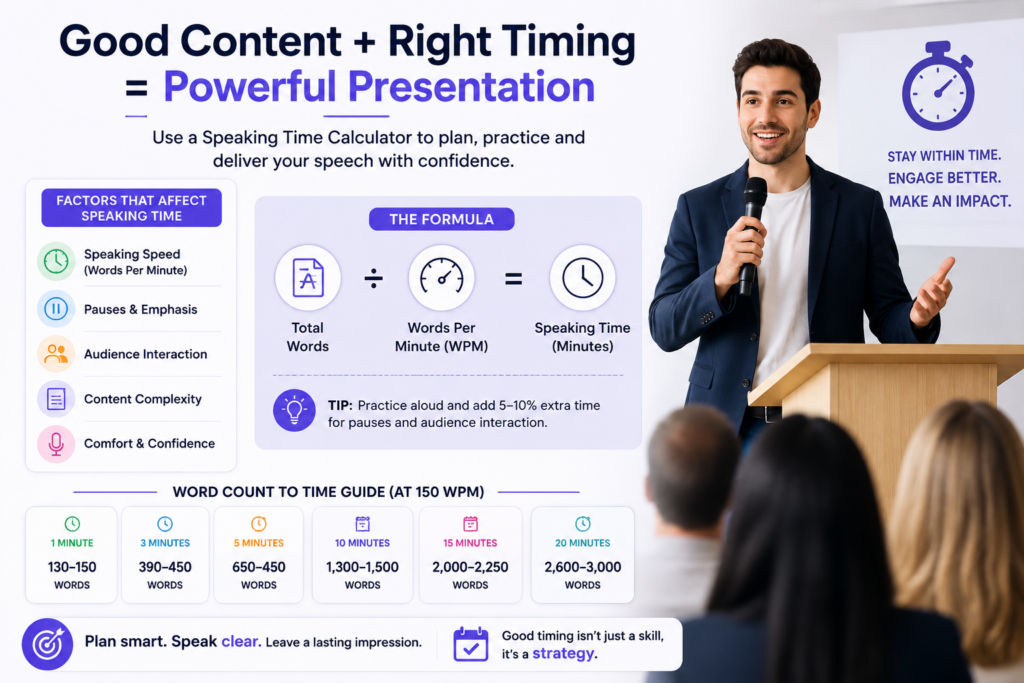
Formula Used in Speaking Time Calculation
The calculation is straightforward.
Speaking Time Formula
Speaking Time (minutes)=Words Per MinuteTotal Words
Example
If:
- Total words = 1,500
- Speaking speed = 150 WPM
Then:
1501500=10 minutes
So your presentation will take approximately 10 minutes.
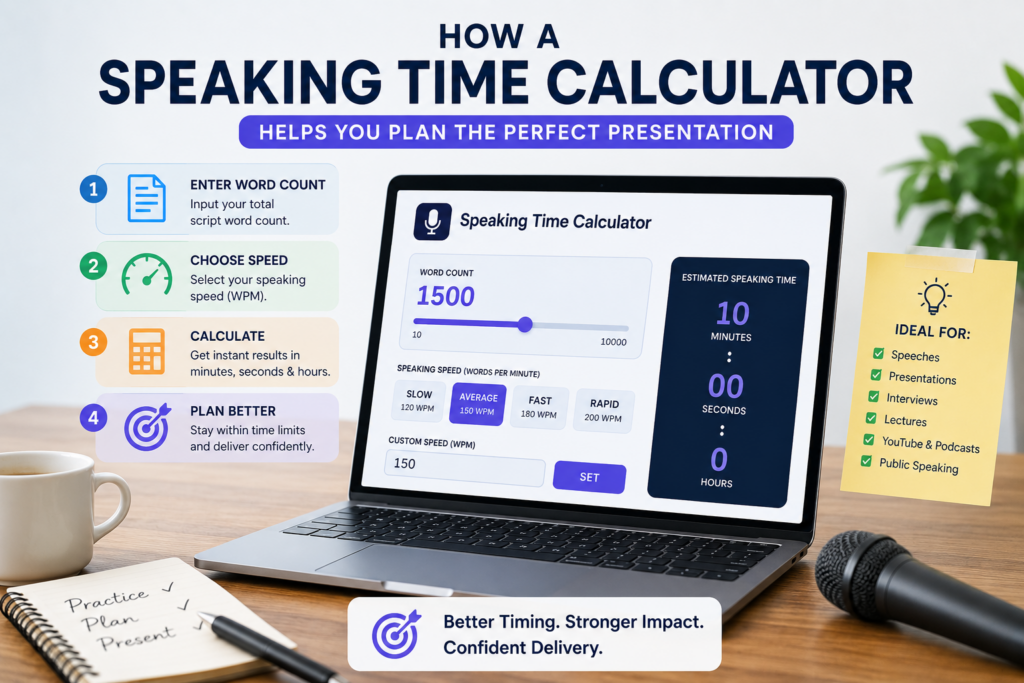
Steps to Use This Speaking Time Calculator
Using the calculator is extremely simple.
Step 1: Enter Word Count
Move the word count slider or enter your total script length.
Example:
- 500 words
- 1,200 words
- 3,000 words
Step 2: Select Speaking Speed
Choose a speaking pace:
- Slow
- Average
- Fast
- Rapid
Or enter a custom WPM value.
Step 3: View Estimated Time
The calculator instantly shows:
- Minutes
- Seconds
- Hours
Step 4: Adjust for Real Practice
After practicing your speech:
- Increase speed if you speak fast
- Reduce speed if you pause frequently
This gives a more realistic estimate.
Real Examples of Speaking Time Calculations
Example 1: Classroom Presentation
- Word count: 750
- Speed: 150 WPM
Estimated time:
150750=5 minutes
A 750-word presentation will take about 5 minutes.
Example 2: TED-Style Talk
- Word count: 2,400
- Speed: 160 WPM
Estimated time:
1602400=15 minutes
This speech lasts approximately 15 minutes.
Example 3: Podcast Script
- Word count: 4,500
- Speed: 140 WPM
Estimated time:
1404500≈32.1 minutes
Your podcast episode will be around 32 minutes long.
Ideal Word Counts for Common Speech Durations
| Duration | Approximate Word Count |
|---|---|
| 1 Minute | 130–150 words |
| 3 Minutes | 390–450 words |
| 5 Minutes | 650–750 words |
| 10 Minutes | 1,300–1,500 words |
| 15 Minutes | 2,000–2,250 words |
| 20 Minutes | 2,600–3,000 words |
| 30 Minutes | 3,900–4,500 words |
These values assume an average speaking pace.
Tips to Improve Speech Timing
Practice Out Loud
Reading silently is much faster than speaking.
Always rehearse aloud using:
- A stopwatch
- Your phone timer
- Recording tools
Add Pause Buffers
Real speeches include:
- Pauses
- Audience reactions
- Slide transitions
- Breathing gaps
Add 5–10% extra time buffer.
Avoid Memorizing Word-for-Word
Natural speaking flows differently than scripted reading.
Focus on:
- Key points
- Story structure
- Clear transitions
Use Short Sentences
Short sentences:
- Improve clarity
- Reduce speaking errors
- Help maintain rhythm
Mark Important Pauses
Add indicators in your script like:
[pause]
[emphasis]
[slide change]
This helps estimate real speaking duration more accurately.
Who Should Use a Speech Time Calculator?
Students
Useful for:
- Viva presentations
- Debates
- Seminars
- Project explanations
Teachers & Trainers
Helps structure:
- Lectures
- Workshops
- Classroom discussions
Corporate Professionals
Useful for:
- Meetings
- Pitch presentations
- Conference talks
- Client demos
Content Creators
Perfect for:
- YouTube scripts
- Podcasts
- Reels narration
- Voiceovers
Public Speakers
Helps maintain:
- Confidence
- Timing
- Stage control
Common Mistakes While Estimating Speech Time
Ignoring Pauses
Pauses can significantly increase duration.
Speaking Too Fast During Practice
Nervous speakers often rush practice sessions.
Real delivery may be slower.
Not Considering Audience Interaction
Q&A sessions and reactions consume extra time.
Reading Instead of Conversing
Conversational speaking usually differs from reading speed.
Benefits of Using This Online Speaking Time Calculator
The calculator above includes several useful features.
Responsive Design
Works smoothly on:
- Mobile devices
- Tablets
- Desktop browsers
Adjustable Word Count Slider
Quickly estimate timing without manual calculations.
Custom Speaking Speed Input
Supports personalized WPM settings.
Instant Results
No refresh required.
Beginner Friendly Interface
Simple controls make it easy for anyone to use.
How Public Speakers Manage Timing Professionally
Professional speakers rarely depend entirely on scripts.
Instead, they:
- Break talks into segments
- Use timing checkpoints
- Practice transitions
- Monitor pacing carefully
For example:
- Introduction → 2 minutes
- Main points → 10 minutes
- Conclusion → 3 minutes
This creates better control over presentation flow.
Speaking Speed vs Audience Understanding
Speaking faster does not always mean speaking better.
Research generally shows:
- Moderate pacing improves comprehension
- Slow pacing improves clarity
- Extremely fast pacing reduces retention
Good speakers focus on:
- Pronunciation
- Confidence
- Natural rhythm
- Audience engagement
not just speed.
Can AI Voiceovers Use Speaking Time Calculators?
Yes.
This tool is also useful for:
- AI narration scripts
- Text-to-speech estimation
- Audiobook planning
- Commercial voiceovers
However, AI voices may speak:
- Faster
- More consistently
- With fewer pauses
So actual duration may vary slightly.
Frequently Asked Questions (FAQ)
What is the average speaking speed?
Average conversational speaking speed is around 130–160 words per minute.
How many words are in a 5-minute speech?
A 5-minute speech usually contains:
650 to 750 words
depending on pacing.
How accurate is a speaking time calculator?
The estimate is generally accurate for prepared speeches, but actual timing may vary due to:
Pauses
Emotions
Audience interaction
Slide changes
How many words should a 10-minute presentation contain?
Typically:
1,300 to 1,500 words
for average pacing.
Can I calculate podcast duration using this tool?
Yes. It works well for:
Podcasts
Narration
YouTube scripts
Audiobooks
What is WPM in speaking?
WPM stands for:
Words Per Minute
It measures speaking speed.
Is fast speaking better?
Not always.
Speaking too quickly can:
Reduce clarity
Increase listener fatigue
Lower comprehension
Can this calculator help with interviews?
Yes. It is useful for:
Self-introductions
HR rounds
Elevator pitches
Technical presentations
Reference Links
Disclaimer
This Speaking Time Calculator provides estimated durations based on average speaking speeds. Actual speaking time may vary depending on pauses, audience interaction, pronunciation, storytelling style, confidence level, and presentation format. Always practice your speech in real conditions for the most accurate timing.
Final Thoughts
A well-timed presentation feels professional, confident, and engaging.
Whether you are preparing for:
- a classroom speech,
- business presentation,
- webinar,
- podcast,
- interview,
- or public speaking event,
using a Speaking Time Calculator helps you stay prepared and avoid timing surprises.
Instead of guessing your presentation length, you can now estimate it accurately within seconds using the calculator above.