
Note‑taking Efficiency Estimator
Adjust the sliders below to see your real‑time efficiency score
- 1 Adjust the sliders to see your efficiency insights.
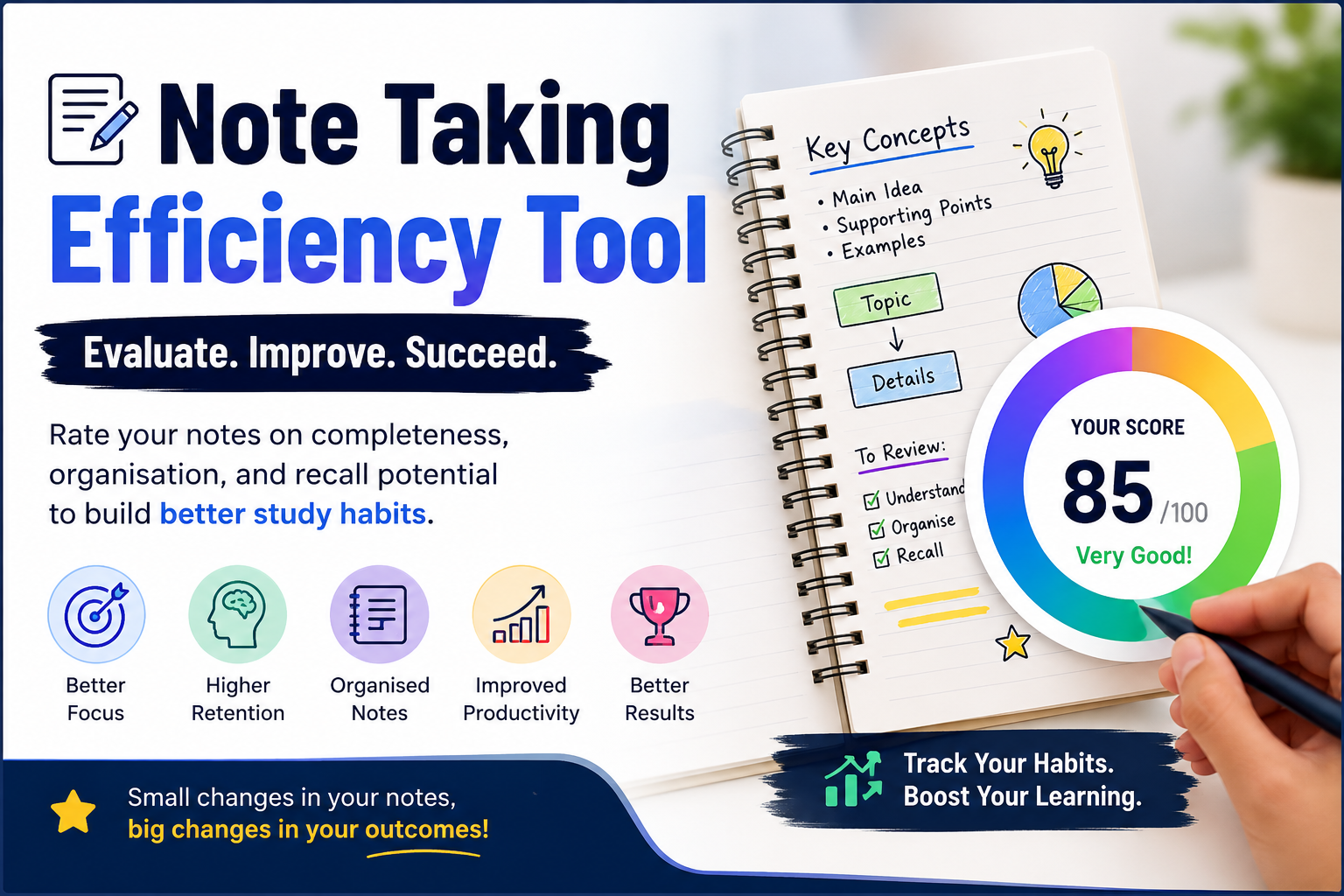
The Note Taking Efficiency Tool helps students, professionals, and lifelong learners evaluate how effective their notes really are. Instead of simply writing everything down, this calculator measures key note-taking factors such as comprehension, organization, review habits, focus, and writing speed to estimate your overall efficiency score.
Whether you are preparing for exams, attending lectures, studying online courses, or managing office meetings, improving your note-taking process can dramatically increase retention and productivity. The calculator attached above is designed to help you identify weak areas and develop smarter learning habits.
Table of Contents
Why Good Note-Taking Matters
Many students believe note-taking is only about copying information quickly. In reality, efficient note-taking is a learning strategy that improves:
- Memory retention
- Active listening
- Understanding of concepts
- Exam preparation
- Revision speed
- Long-term recall
- Productivity during meetings or lectures
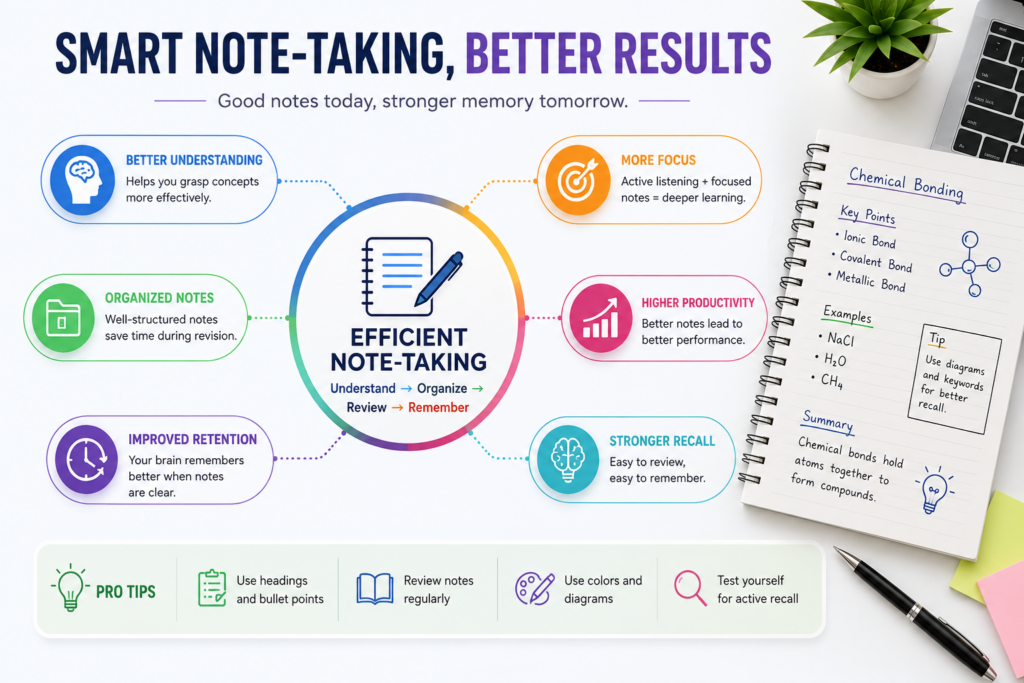
Research consistently shows that structured notes help learners process information more effectively than passive reading alone. When your notes are clear and organized, your brain spends less energy decoding information later.
A proper Note Taking Efficiency Tool allows you to measure how effective your current habits are and where improvements are needed.
What Is the Note-Taking Efficiency Tool?
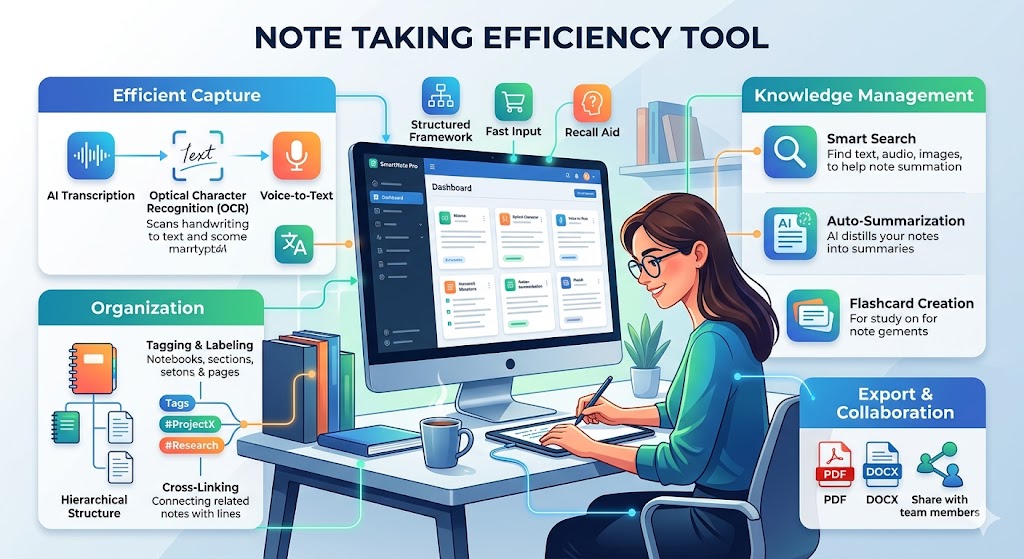
The Note Taking Efficiency Tool is an interactive calculator that evaluates your note-taking habits using multiple performance indicators.
It analyzes:
- Writing speed
- Comprehension level
- Organization quality
- Review frequency
- Distraction level
- Note-taking method used
Based on these values, the calculator generates an overall efficiency score and personalized suggestions for improvement.
This makes it more than just a simple calculator — it works like a mini study coach.
How the Calculator Works
The calculator uses weighted scoring to estimate your note-taking effectiveness.
The final score depends on several categories:
| Factor | Importance |
|---|---|
| Comprehension | High |
| Organization | High |
| Review Frequency | Medium |
| Writing Speed | Medium |
| Focus Level | Medium |
| Note-taking Method | Bonus Factor |
A student who writes quickly but never reviews notes may score lower than someone who writes slowly but organizes and revises effectively.
The goal is balance, not just speed.
Steps to Use This Calculator
Using the Note Taking Efficiency Tool is very simple.
Step 1: Enter Writing Speed
Adjust the slider to match how quickly you can take notes during lectures or meetings.
- Lower speed may indicate difficulty keeping up
- Extremely high speed may reduce comprehension
The ideal balance is moderate speed with good understanding.
Step 2: Select Your Comprehension Level
Rate how much information you actually understand while taking notes.
Ask yourself:
- Do I understand concepts while writing?
- Can I explain the topic afterward?
- Am I only copying text mechanically?
Higher comprehension generally leads to better retention.
Step 3: Rate Your Organization Skills
Evaluate how organized your notes are.
Consider:
- Headings
- Bullet points
- Color coding
- Highlighting
- Structured formatting
Well-organized notes are easier to revise later.
Step 4: Set Review Frequency
Choose how often you review your notes weekly.
Students who revise regularly usually retain information much longer than those who only read notes before exams.
Step 5: Select Distraction Level
Rate your distraction level while taking notes.
Examples of distractions:
- Social media notifications
- Multitasking
- Background noise
- Switching tabs constantly
Lower distractions improve focus and comprehension.
Step 6: Choose Your Note-Taking Method
The calculator supports multiple effective note taking methods, including:
- Cornell Method
- Mind Mapping
- Outline Method
- Charting Method
- Sentence Method
- Flow Notes
Different methods work better for different subjects and learning styles.
Understanding Your Efficiency Score
After entering all details, the calculator generates a score from 0 to 100.
Score Interpretation
| Score Range | Performance |
|---|---|
| 90–100 | Excellent |
| 75–89 | Very Good |
| 60–74 | Good |
| 40–59 | Needs Improvement |
| Below 40 | Poor Efficiency |
The tool also provides personalized tips to help you improve weak areas.
Best Note-Taking Methods Explained
Choosing the right system can significantly improve your score in this study efficiency calculator.
1. Cornell Method
The Cornell Method divides the page into sections:
- Notes area
- Cue column
- Summary section
It is one of the most efficient systems for revision and recall.
Best For:
- College students
- Lecture notes
- Exam preparation
2. Mind Mapping
Mind maps visually connect ideas around a central topic.
Benefits:
- Improves creativity
- Helps understand relationships
- Great for brainstorming
Best For:
- Visual learners
- Complex subjects
- Project planning
3. Outline Method
This method uses indentation and hierarchy.
Best For:
- Structured lectures
- History subjects
- Business meetings
4. Charting Method
Information is organized into tables and columns.
Best For:
- Comparisons
- Statistics
- Data-heavy subjects
5. Flow Notes
Flow notes focus on active understanding rather than copying.
Best For:
- Conceptual learning
- Self-study
- Online courses
Examples of Calculator Usage
Example 1: College Student
Inputs:
- Writing Speed: 45 WPM
- Comprehension: 80%
- Organization: 8/10
- Review Frequency: 4 times/week
- Distraction Level: 2/10
- Method: Cornell
Result:
Efficiency Score: 88/100
Interpretation:
This student has strong study habits and effective review consistency.
Example 2: Distracted Learner
Inputs:
- Writing Speed: 70 WPM
- Comprehension: 45%
- Organization: 4/10
- Review Frequency: 1 time/week
- Distraction Level: 8/10
- Method: Sentence
Result:
Efficiency Score: 46/100
Interpretation:
The student writes quickly but struggles with focus and understanding.
Recommended improvements:
- Reduce distractions
- Improve organization
- Review notes more often
Tips to Improve Your Note-Taking Efficiency
Focus on Understanding, Not Copying
Many students write every word without processing information.
Instead:
- Summarize concepts
- Use your own words
- Write key ideas only
Review Notes Within 24 Hours
Studies show that early revision dramatically improves memory retention.
A quick 10-minute review after class can make a huge difference.
Use Visual Structures
Add:
- Diagrams
- Tables
- Highlighting
- Color coding
Visual organization improves recall speed.
Avoid Multitasking
Listening to lectures while checking messages reduces comprehension significantly.
Single-tasking improves learning efficiency.
Use Abbreviations and Symbols
Short forms help improve writing speed without losing meaning.
Examples:
- w/ = with
- b/c = because
- ↑ = increase
- ↓ = decrease
Who Should Use This Calculator?
The Note Taking Efficiency Tool is useful for:
Students
Improve exam preparation and revision efficiency.
College Learners
Optimize lecture note systems and reduce study time.
Competitive Exam Aspirants
Increase retention for large syllabus coverage.
Working Professionals
Take better meeting notes and improve productivity.
Online Learners
Stay organized while studying digital courses.
Benefits of Using a Note Taking Productivity Calculator
A note taking productivity calculator helps identify patterns you may overlook.
Key Benefits
1. Better Self-Awareness
You understand which habits reduce efficiency.
2. Improved Retention
Organized notes improve long-term memory.
3. Faster Revision
Good notes reduce study time before exams.
4. Higher Productivity
You spend less time rewriting or reorganizing notes later.
5. Personalized Recommendations
The tool provides suggestions tailored to your weak areas.
Common Note-Taking Mistakes
Avoid these mistakes if you want a higher efficiency score.
Writing Everything Word for Word
This reduces comprehension and increases mental overload.
Never Reviewing Notes
Even excellent notes become ineffective without revision.
Poor Organization
Messy formatting makes revision difficult.
Ignoring Active Recall
Testing yourself improves memory far more than passive reading.
Studying in Distracting Environments
Background distractions reduce concentration and retention.
How Often Should You Review Notes?
A recommended review schedule:
| Time | Activity |
|---|---|
| Same Day | Quick review |
| After 24 Hours | Reinforcement |
| After 1 Week | Recall testing |
| Before Exams | Full revision |
Spaced repetition improves long-term memory significantly.
Digital vs Handwritten Notes
Both methods have advantages.
Handwritten Notes
Pros:
- Better memory retention
- Increased focus
- Fewer distractions
Cons:
- Slower speed
- Harder to organize digitally
Digital Notes
Pros:
- Faster typing
- Easy searching
- Better storage
Cons:
- Higher distraction risk
- Passive copying tendency
The best choice depends on your learning style.
Frequently Asked Questions (FAQ)
Is the Note Taking Efficiency Tool accurate?
The calculator provides an estimated efficiency score based on research-based study habits and productivity indicators. It is designed as a guidance tool rather than a medical or academic assessment.
What is the best note-taking method?
The Cornell Method is widely considered one of the most effective systems for students because it encourages organization and active recall.
Can this calculator help improve exam performance?
Yes. Better note organization and regular review habits can improve understanding and retention, leading to more efficient exam preparation.
How can I improve my score quickly?
Focus on:
Reducing distractions
Reviewing notes regularly
Improving organization
Using active learning techniques
Is handwriting better than typing?
Handwriting often improves memory retention, while typing improves speed and convenience. Both can be effective depending on learning style.
How often should I review my notes?
Ideally:
Same day
Within 24 hours
Weekly revision
Before exams
This spaced repetition approach improves long-term retention.
Reference Links
Here are some useful educational references related to note-taking and learning efficiency:
- Cornell Note Taking System
- Harvard Learning Center Study Tips
- University of North Carolina Learning Strategies
- Mind Mapping Techniques
Disclaimer
This Note Taking Efficiency Tool is intended for educational and self-improvement purposes only. The efficiency score is an estimate based on user inputs and general productivity principles. Results may vary depending on individual learning styles, subjects, and study environments. This calculator should not replace professional educational guidance or academic counseling.